
Operations
Bakery Stock Transfers: Connect Dispatch and Receipt between Outlets
A bakery stock transfer should connect the goods dispatched with the goods actually received.
A bakery stock transfer should connect the goods dispatched with the goods actually received. One transfer reference allows both outlets to follow the same movement, including the period when the goods are still in transit.
A message saying “sent” does not establish the product, unit, quantity or recipient. If the origin considers the work finished before the destination has counted anything, an unexplained difference can pass into the next shift. Use a record that follows the physical movement rather than two independent lists that happen to contain similar figures.
Begin with a clear request
Record the origin, destination, products, quantities, units, required timing and requester. Use product identities recognised by both locations. A nickname understood by only one team can cause different items to be treated as identical, particularly when their packaging looks similar.
Confirm that the goods can be moved under the business arrangements and applicable handling information. A transfer should not make a record of problematic goods disappear. Unclear status or condition needs resolution through the appropriate process before the goods are treated as usable stock.
Choose one transfer identity at the beginning. A reference such as TR-01 can connect the request, dispatch list and receipt. It is an internal reference, rather than a replacement for the supplier’s lot number or the product identity that still needs to accompany the goods.
Count the goods being prepared
The sender records what is actually prepared instead of simply copying the request. If the full request cannot be supplied, make the difference visible before departure. The requester needs to know whether the remainder is cancelled, still pending or subject to another agreed decision.
Check the unit used on the packaging. Three boxes can represent different unit quantities when their contents differ. State the agreed working unit and identify opened packs clearly. A silent unit change halfway through the paperwork makes a correct physical movement look inconsistent later.
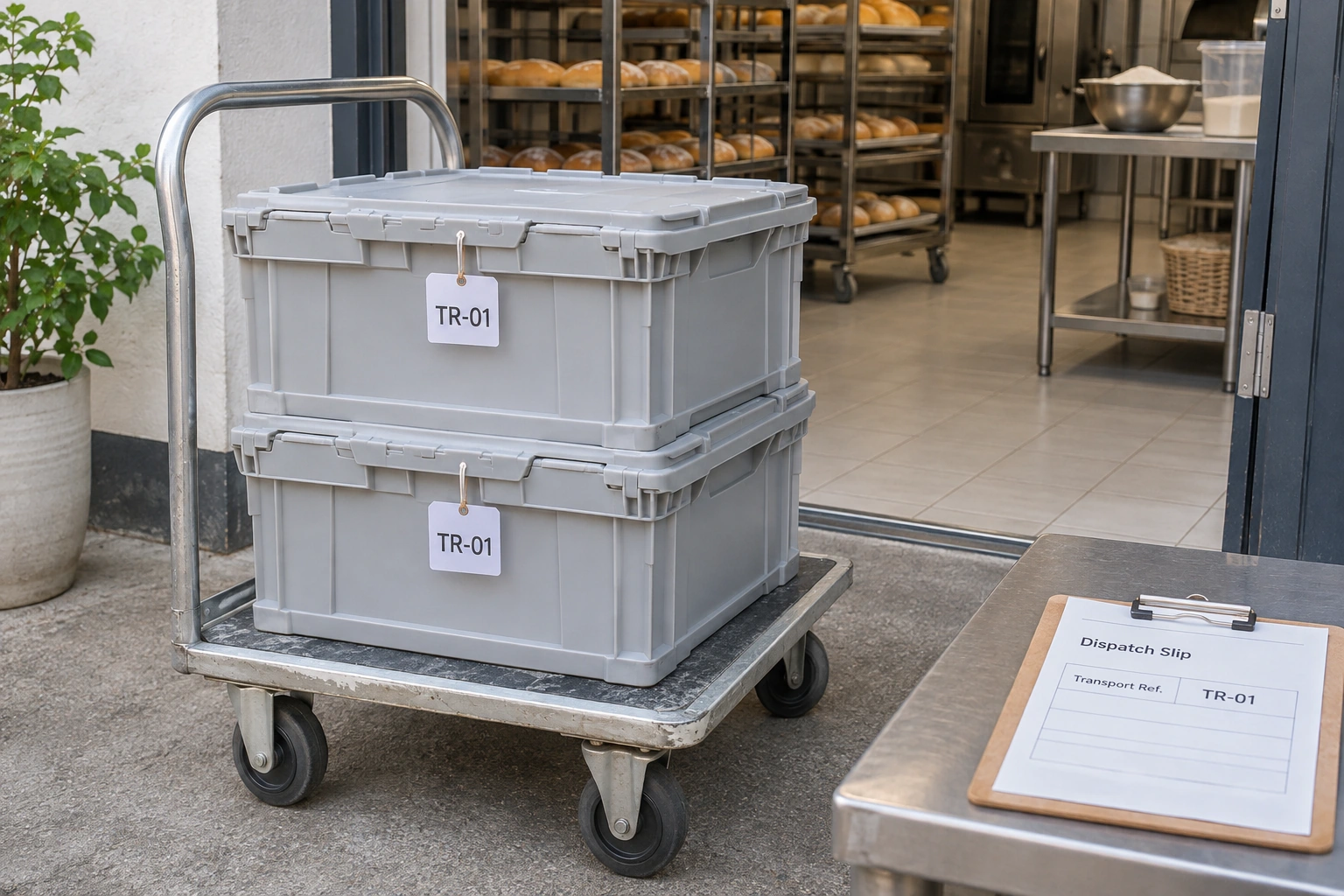
Connect the list with the goods being transported. A container tag can carry the transfer reference, destination and other necessary information. Lot identification and handling instructions continue to belong with the product; the transfer tag does not replace them. This also makes it easier to distinguish containers for different destinations at a shared dispatch point.
Keep the in-transit state visible
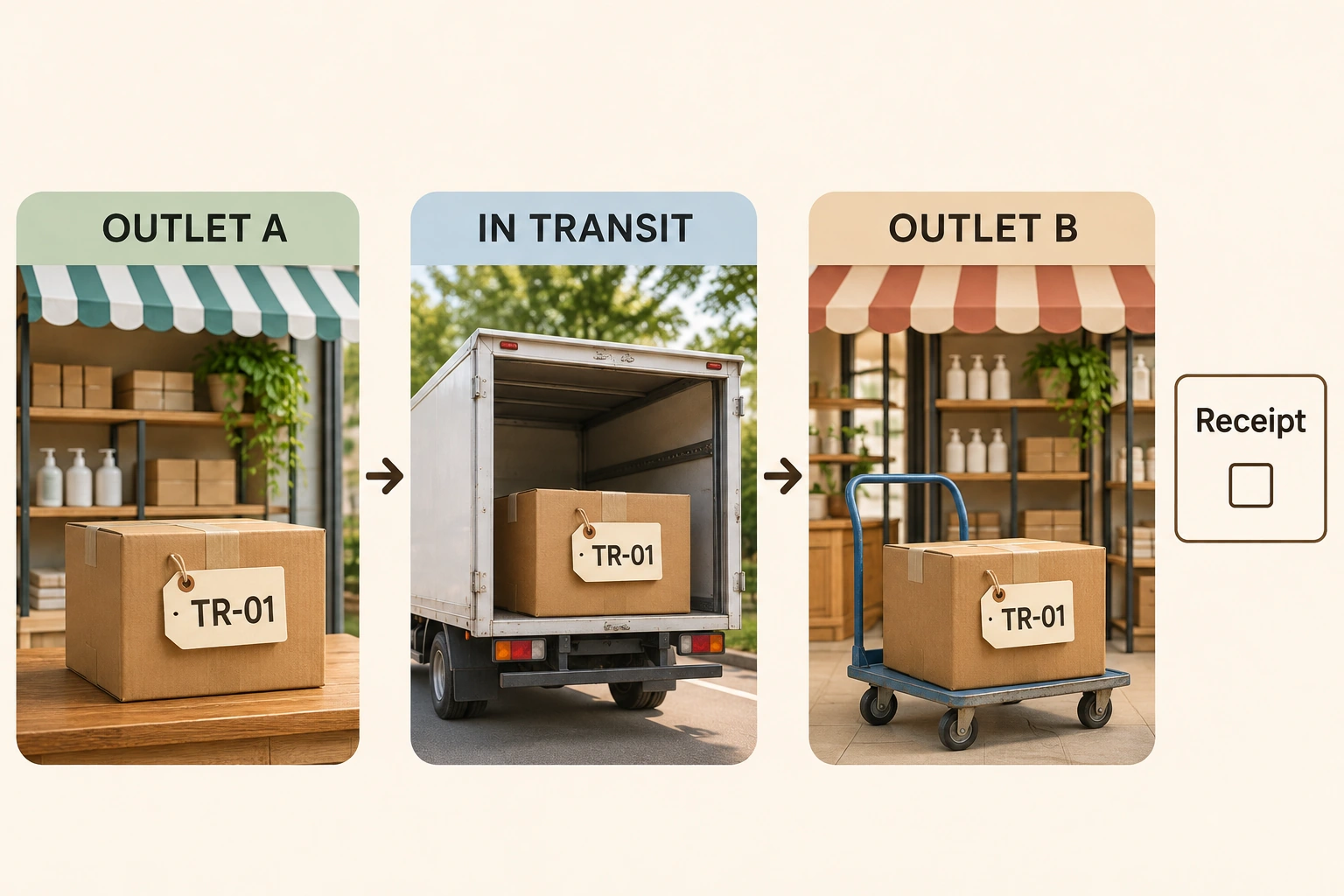
Dispatch and receipt are separate events. Once the goods leave, record the departure time and the person responsible for the handover. The destination has not completed its check merely because the sender supplies a container photograph or a departure message.
Odoo’s inter-warehouse documentation uses a transit location between the origin and destination. A simpler record can apply the same principle through a status showing that the movement remains open.
That status is especially useful at a shift change. The incoming team can see what is still expected, whom to contact and which document to use. Goods in transit should not appear as freely available stock at both outlets simultaneously. The record needs to explain where the movement stands without suggesting that a receipt has already occurred.
Let the recipient record actual findings
At the destination, match the transfer reference and check identity, unit, quantity and condition according to the applicable receiving requirements. Record what was found. Where quantities differ, retain the dispatch quantity and receipt quantity as separate observations that can be compared.
Do not silently rewrite the sender’s list to match the destination count. The difference is useful evidence when investigating a unit mismatch, a container that has not arrived, an incorrect pick or an incomplete record. Removing it too early makes the sequence harder to reconstruct.
Put exceptions against the relevant product line. Assign an owner where confirmation or further checking is needed. Photographs can support a condition note, but cannot replace the product identity and quantity that the receiving record must communicate.
Distinguish a delay from a receiving discrepancy
Goods that have not arrived need different follow-up from goods received in a different quantity. For a delay, check the journey status and handover reference. For a receipt discrepancy, compare the container contents and both parties’ records. One generic reason should not conceal these different events.
If a transfer is cancelled before departure, record the cancellation and retain the correct origin status. A decision changing after departure needs coordination; deleting a record does not undo a physical movement. Every correction should remain linked to the original transfer reference so that it cannot be mistaken for an additional movement.
Close with a traceable decision
Close the transfer once dispatch and receipt have been reconciled, including the treatment of any differences. Retain who completed the review and when the status changed. If receipt is partial, explain what happens to the remainder instead of leaving it unresolved in a private conversation.
For example, one TR-01 container might arrive before another. The recipient records the part already counted and leaves the outstanding part open. A later receipt uses the same reference, allowing a reviewer to follow the sequence without creating a second transfer that duplicates the quantity.
Connect this process to a useful shift usage record. Transfers out, transfers in and sales mean different things. Keeping those reasons visible gives replenishment decisions a stronger basis than an assumption drawn from an empty-looking shelf.